
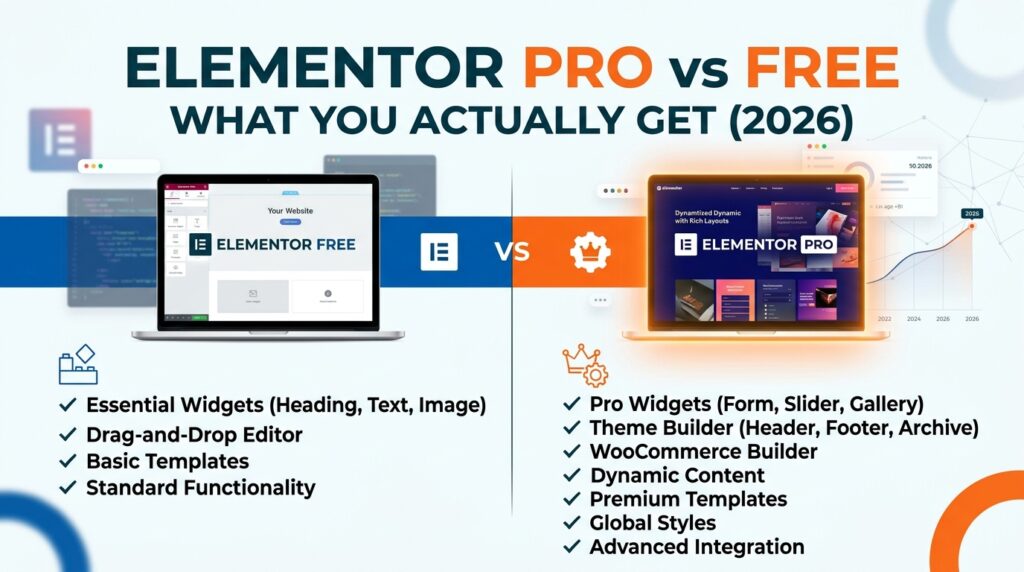
Almost every “Elementor Pro vs free” comparison you’ll find is a widget count and a price. That’s not the decision. The decision is which specific capability you’re going to hit a wall on, and how much that wall costs to get past — and on that question most articles are either vague or wrong. We checked the claims below against Elementor’s official plan table in August 2026, because two of the most widely repeated ones don’t survive contact with it.
What Elementor free actually gives you
Elementor free is a complete page builder. Drag-and-drop editing, responsive controls per breakpoint, containers with flexbox and grid, the full set of free widgets, and template kits. For a brochure site, a portfolio, or a blog sitting on a well-built theme, it is genuinely sufficient — not a crippled trial. We have shipped client sites on free Elementor and not felt the constraint.
What free does not give you is control over anything outside the content area. Your header, your footer, your blog archive layout, your single-post template — those belong to your theme. You style them in the Customizer, or you don’t style them at all.
That’s the wall. Everything else is a detail.
The one feature that decides it: Theme Builder
Theme Builder lets you design headers, footers, archives, single-post templates and 404 pages visually, with display conditions controlling where each applies. It is the single feature that changes what Elementor is — from a page builder into a site builder.
Here’s the correction: Theme Builder is included in the entry-level Essential plan. A number of comparison articles currently claim it starts at Advanced Solo. It doesn’t — Elementor’s own plan table lists Theme Builder as included on Essential. If you’ve been putting off upgrading because you thought site-wide templating meant the higher tier, it doesn’t.
This matters practically because “I need a custom header” is the most common reason our clients outgrow free Elementor, and it’s answered by the cheapest paid plan.
The two Essential-tier limits nobody mentions
This is where the official table earns reading properly, because two features are marked “included” on Essential with a restriction buried in the tooltip.
Form Builder is included — but form submissions are not. You can build forms on Essential. You cannot store or manage the submissions inside WordPress. If your plan was to replace Contact Form 7 or WPForms with Elementor’s form widget and read entries in the admin, Essential won’t do it. You’d be emailing submissions out and hoping nothing bounces, which is not a system a business should run leads through.
Dynamic Content is included — but custom fields and post types are not. You can bind design to standard WordPress content on Essential. You cannot pull from ACF fields or a custom post type. So if you’re building anything with structured data — a property listing, a staff directory, a case-study archive — Essential’s Theme Builder will let you build the template and then refuse to populate it with the data you actually care about.
Those two limits are, in our experience, the most common reason people upgrade from Essential to Advanced Solo three months after buying Essential. Worth knowing before rather than after.
What Advanced Solo adds
Advanced Solo is still a single-site licence, and it lifts both of the above plus adds the things Essential withholds outright:
- 85 Pro widgets instead of 57
- Popup Builder — with display and trigger conditions; genuinely replaces a dedicated popup plugin
- Custom code & CSS — per-element custom CSS and site-wide code snippets. Not available at all on Essential, which surprises people
- eCommerce features — the WooCommerce Builder, for templating product and archive pages
- Full Dynamic Content and full Form Builder, without the Essential restrictions
- 20 cloud templates instead of 10
If you run a WooCommerce store, this is your floor, not Essential — the WooCommerce Builder lives here. Templating your product pages properly is worth doing, though get the fundamentals right first: a beautifully templated product page on a slow server still converts badly, and our guide to speeding up a WooCommerce store covers the work that should come before visual polish.
Elementor Pro Pricing, and the multi-site question
Checked August 2026: Essential runs about $59/year for one site, Advanced Solo about $79/year for one site, Advanced $99/year for three sites, Expert $199/year for twenty-five, and Agency $399/year for a thousand. Elementor runs frequent promotions — there was a birthday discount live when we checked — so you may see less at checkout, and renewal is at the regular rate rather than the promotional one. Confirm on Elementor’s pricing page before you buy; these figures move.
The arithmetic worth noticing: Advanced at $99 for three sites is cheaper per site than Advanced Solo at $79 for one, the moment you have two sites. Freelancers routinely buy Solo twice. Don’t.
When free is genuinely the right answer
Three cases, and we mean them:
Your theme already does the job. If you’re on a block theme or a well-built classic theme whose header and footer you’re happy with, Theme Builder solves a problem you don’t have.
You’re prototyping. Build in free, validate the design, buy a licence when the site is real.
You’ve committed to a different ecosystem. If you’re already running JetEngine and JetThemeCore, you have templating and dynamic content from those, and Pro duplicates them.
Outside those, if you’re building client sites for money, Pro pays for itself on the first project. Not because of the widgets — because of the hours you don’t spend fighting a theme’s header.
The honest caveat
Elementor is a heavy builder, and Pro adds weight. Every Pro widget you place loads assets. If page speed is a priority, be deliberate: use containers rather than nested sections, disable the widgets you don’t use, and measure. Buying Pro to add six sliders to a homepage is a decision you’ll pay for in Core Web Vitals. The plugin isn’t the problem; undisciplined use of it is.
The short version
Free is a real page builder and enough for a lot of sites. The question is whether you need to control your header, footer and archive templates — if yes, Essential at roughly $59/year gets you Theme Builder, which is cheaper than most people assume. But if you need form submissions stored in WordPress, custom fields, custom CSS, or WooCommerce templating, skip Essential and go to Advanced Solo, because you’ll end up there anyway.
Once the build is sorted, payments are usually the next thing that needs care — our Mollie WooCommerce setup guide covers that for Dutch stores end to end.
Want this built rather than researched? Intec Infosys builds and maintains WordPress and WooCommerce sites, including Elementor theme templating and performance work. Get in touch at intecinfosys.com.